Image Compressor · Resizer · Converter
Make images lighter. Keep them looking good.
Compress, resize or convert up to 20 images. Your files stay in this browser.
Add your images
Choose your files to start. You can adjust the output settings below.
Browser-only processing
Maximum 25 MB and 40 megapixels per file, 250 MB per batch. Images are processed in this browser.
No image handy? Try our synthetic sample with these settings.

Output settings
Choose what should change
Ready when you are. Choose images or try the sample.
A closer look
Smaller file. Same sharp text.
Our sample screenshot shrank by 72% with lossless PNG compression. Its dimensions and decoded pixels stayed the same.
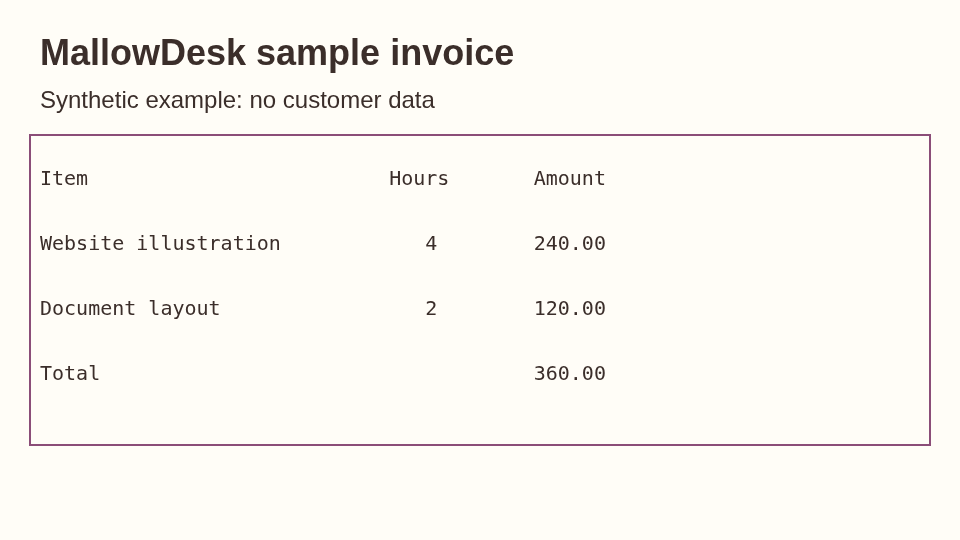
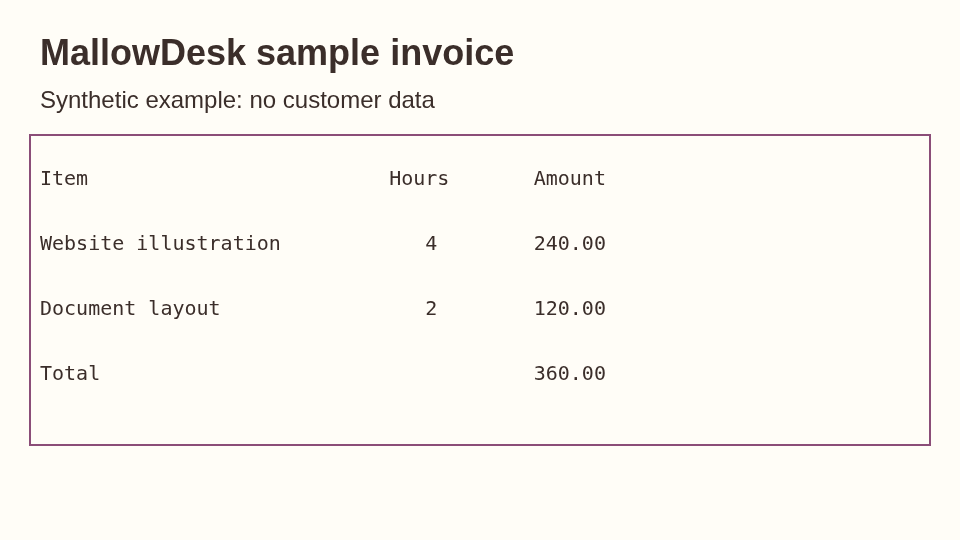
A synthetic screenshot made by MallowDesk, not a photo. Results vary by image and browser. Open either preview to inspect the full-size file.
View files & measurement detailsChoose your next step
Make it fit where it needs to go.
A few practical guides to help you choose the right settings.
Meet a file-size limit
Need a file under 200 KB? Set a limit, then check the downloaded size.Resize or compress?
Choose between fewer pixels and a smaller file at the same dimensions.Keep a transparent background
Reduce a PNG while protecting the edges of logos and graphics.Pick the right image format
Compare JPEG, PNG, WebP and AVIF for the place your image will go.
Before you download
A few useful answers.
Will my image lose quality?
PNG optimization is lossless: decoded pixels stay the same. JPEG, WebP and AVIF compression can change detail. Start with Balanced, then use Compare to check text, edges and textures before downloading. For photos that need JPEG, open Compress JPG.
Why is my file still too large?
Some images have little left to compress. Try smaller dimensions, a lower quality setting or a different format. With a file-size limit enabled, a result that misses the limit is marked unsuccessful and cannot be downloaded. Adjust your settings and try again.
Are my images uploaded or stored?
Your files are processed in this browser tab. This application does not upload your images or save them to an account. Reloading clears the batch, so download what you need first. Only your tool settings may be remembered on this device.
What happens to image metadata?
Re-encoded files remove embedded metadata, including common camera and location tags. An original is kept unchanged only when it is already smaller and checked for metadata that should be removed. Visible information inside the picture remains. Read the metadata guide.